Your whole week scheduled in one sitting
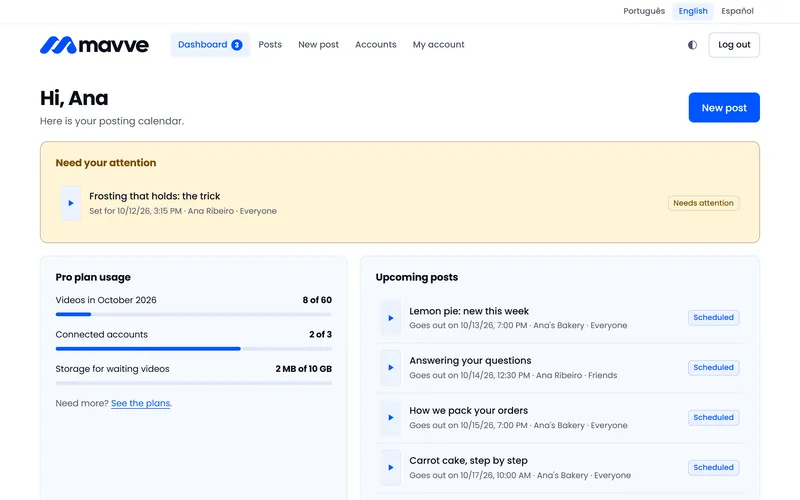
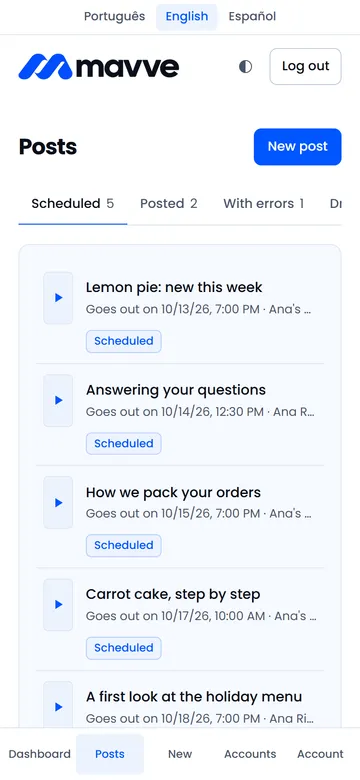
Upload your videos one after another and set a day and time for each, up to 90 days ahead, in your own time zone.

No more last-minute posting
Upload the week's videos in one sitting, choose how each one is posted to your TikTok account, and set the day and time. When the moment comes, Mavve posts it and lets you know.
By creating an account you accept the Terms of Use and the Privacy Policy.

The problem
You already make the videos. What breaks your consistency is the clock.
The time you planned lands in the middle of a client, a class or your commute. The post gets pushed to later, and later never comes.
You shot it on Sunday and got it just right. By Thursday it's still sitting in your camera roll.
Five videos one week, none the next. Not for lack of content, but because posting depends on you remembering.
Posting shouldn't depend on your memory or your calendar.
What changes
Mavve does one thing: it posts your video, your way, at the time you set. It doesn't promise reach or followers. It makes sure your part, the posting, doesn't slip because you forgot.
Upload your videos one after another and set a day and time for each, up to 90 days ahead, in your own time zone.
At the scheduled time, the video goes to your TikTok account. You get a notice on screen and by e-mail when it's out.
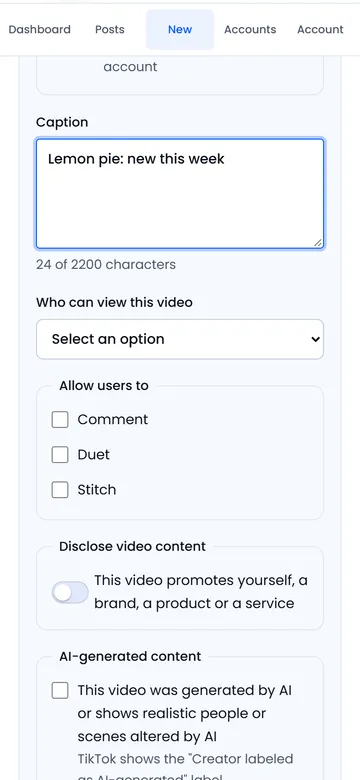
Caption, who can view it, comments, Duet, Stitch and commercial content disclosure: you choose on every post. Nothing is pre-selected.
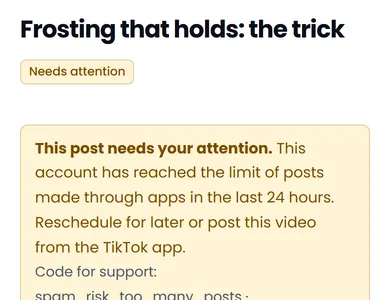
Account at its daily limit, video refused or authorization removed: the post waits and you get the reason and what to do.
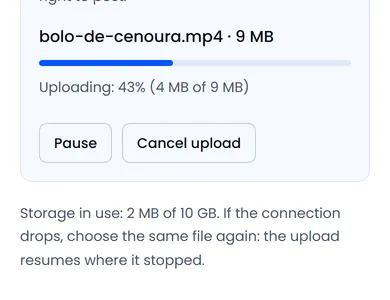
No watermark, logo or added text. And if your connection drops mid-upload, it picks up where it left off.
How it works
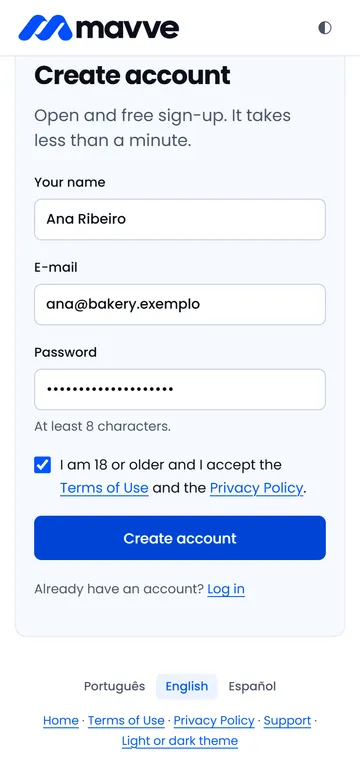
E-mail and password, no card. Confirm your e-mail and you're in.
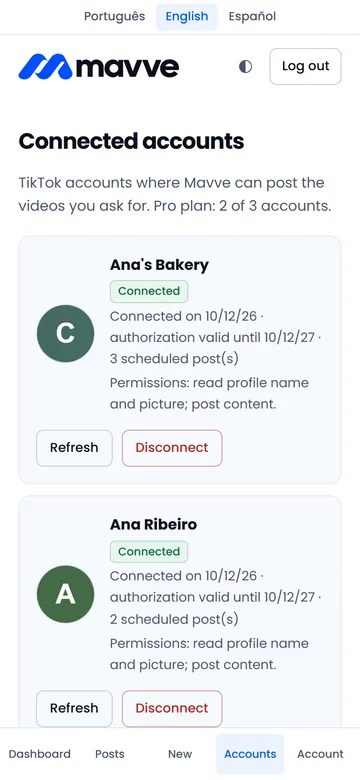
You authorize on TikTok's own screen. Mavve never sees your password.
Watch the preview, write the caption and set who can view it, which interactions are allowed and whether it's commercial content.
Or post right away. Follow the progress and get a notice when the video is out.

Example routines
Three example routines, to show how Mavve fits into a normal week. These are illustrative situations, not customer testimonials.

Home bakery
Fits the Pro plan

Math lessons
Fits the Free plan
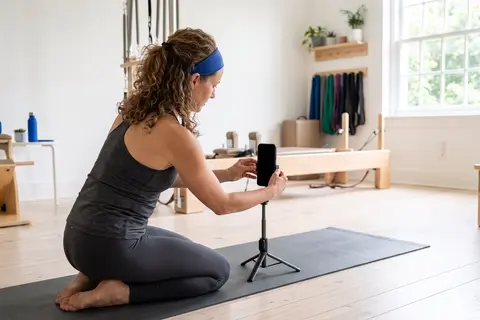
Pilates studio
Fits the Pro plan
Plans
The Free plan has no time limit and asks for no card. Paid plans raise the number of accounts and of videos per month.
$0 forever
To try it at your own pace and for occasional posting.
Room for about 1 video a week.
$19 per month
For posting every week or running more than one account.
Room for 2 videos a day, every day, across your accounts.
$39.90 per month
For daily posting across several accounts of your own.
Room for 16 videos a day, every day, across your accounts.
The monthly limit belongs to your plan and adds up all connected accounts. On top of it, TikTok itself limits each account to around 15 posts per day made through apps, counting all the apps you use. That limit is TikTok's and does not change with the plan.
Before you sign up
Did not find your question? Contact support.
Create a free accountDid not find your question? Contact support.
No. Mavve is an independent product with no affiliation, sponsorship or endorsement from TikTok. It uses the official interface TikTok offers to apps to post, with your authorization, the videos you upload yourself.
Everything that defines the post: the account, the caption, who can view the video, whether comments, Duet and Stitch are allowed, whether it is commercial content, and the date and time. You make these choices on every video. No default configuration is applied on its own.
No. The video is posted exactly as you uploaded it. We add no logo, watermark, text or link to the video or the caption.
The file is deleted from our servers as soon as TikTok confirms the post, or when you cancel it. Forgotten drafts are deleted after 7 days.
At posting time we check your account options again. If the visibility you chose no longer exists, the account reached TikTok's daily limit or the authorization was removed, the post is not published with different options: it is held and you are notified on screen and by e-mail.
No. Mavve is for original content: videos you created or have the right to post, uploaded by you from the original file. The product does not import or copy videos from other platforms.
MP4 (recommended), MOV or WebM, with H.264, H.265, VP8 or VP9, 23 to 60 frames per second and 360 to 4096 px in width and height. The maximum duration depends on your TikTok account and is checked before posting.
No. The Free plan has no time limit and lets you connect one account and post 5 videos per month. The Pro and Influencer plans are for people who post often or run more than one account of their own.
Under Accounts, the Disconnect button revokes the authorization at TikTok and deletes that account's data. Under My account, Delete my account removes your registration, videos, posts and authorizations immediately. You can also ask by e-mail.
Create your account, connect TikTok and get your first video on the calendar. The Free plan asks for no card and has no time limit. If you ever subscribe, you can cancel anytime.